

You're Probably Not Getting the Most Out of AI. Here's What I Use Every Day (and How)
A practical guide to the tools, workflows, and pro tips behind my daily AI stack.

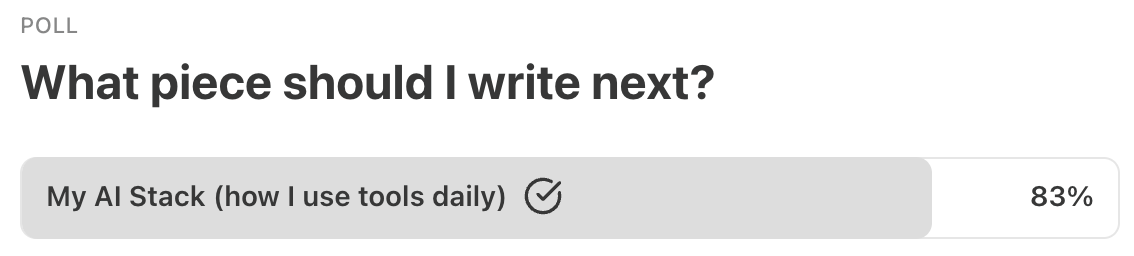
At the end of my last article, I ran a poll asking what you wanted me to write about next. The results were unequivocal. So here it is - hang on to your hats, it’s a monster!
I get asked about my AI setup a lot.
What tools do you use?
Which ones are actually worth paying for?
What’s best and why?
But here’s the thing: Most people are still treating AI like a search engine with better manners. They ask a question, get an answer, and move on. That’s fine. But it’s a fraction of what’s possible.
These tools have evolved well beyond simple question and answer. We’re now in the territory of multi-step workflows where you can build, create, and automate tasks that used to take hours. You can draft a document, refine it, turn it into a presentation, and generate supporting visuals without leaving your chair. The gap between “I have an idea” and “I have something to show” has never been smaller.
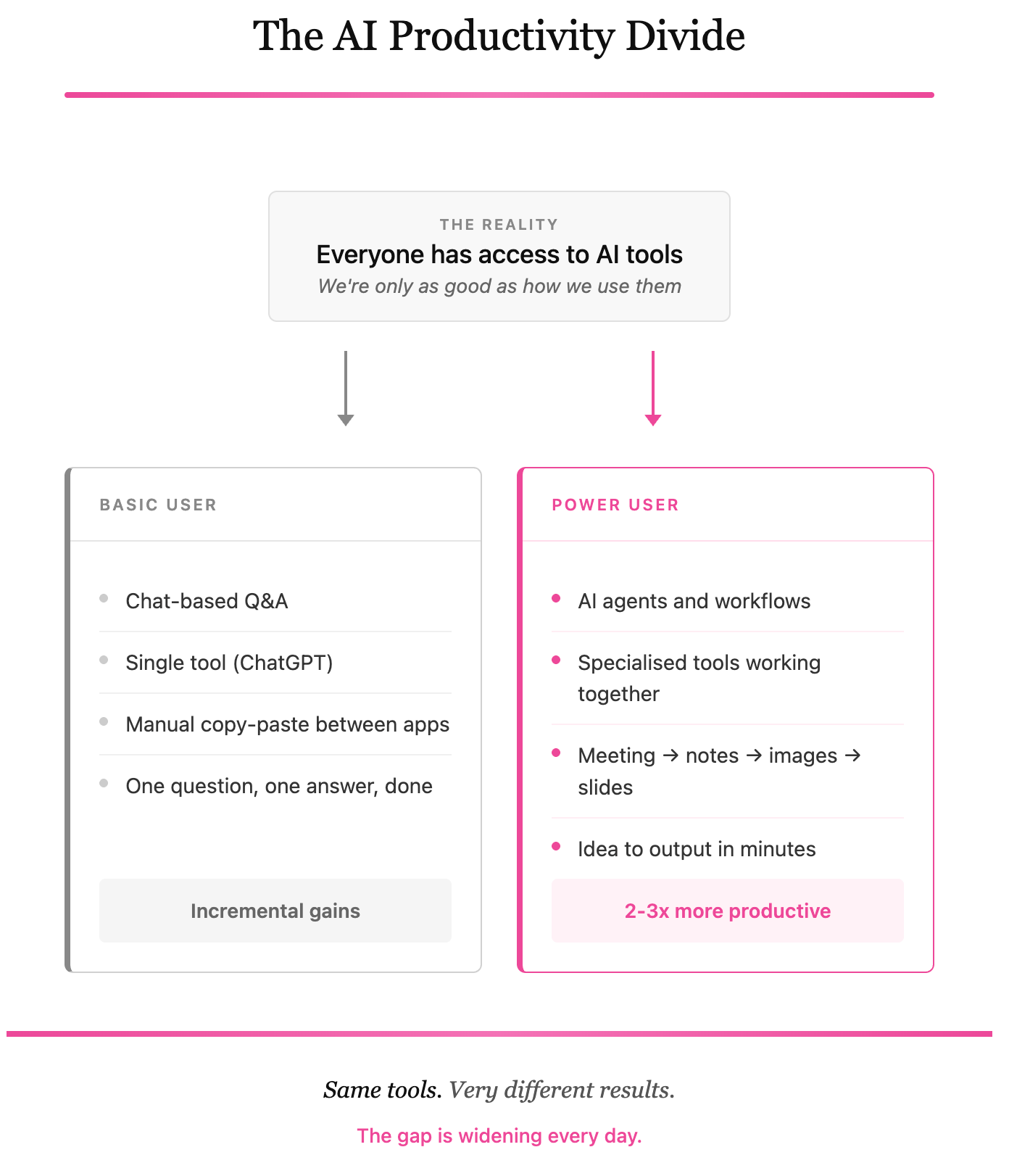
The problem is that most people have no idea these capabilities exist, and that worries me.
A divide is forming between power users who’ve figured out how to integrate AI into their daily workflows, and everyone else still using these tools for basic lookups. Power users are already 2-3x more productive. We’re seeing this at Visory, where engineers using AI effectively are producing significantly more, at higher quality, than I’ve ever experienced from an engineering function before.
So what does this mean for the rest of us?
We need to push ourselves beyond the basics of AI to keep pace with where the world is headed. Putting your head in the sand isn't the answer. But I also get that the options are endless. Every Instagram and TikTok reel is pushing some new tool, and it's impossible to know whether the practical use lives up to the hype. It's a lot to wade through.
I’m hoping I can help
Below is a practical guide on how I actually use AI in my day-to-day work, with real use cases that go beyond the basics. Some of these tools you probably already have access to. A few might be new. Either way, my hope is you walk away with at least one idea that changes how you work.
I’ve ordered them roughly by how much I rely on them. The tools at the top are the ones I’d miss most if they disappeared tomorrow.
My daily drivers:
Claude
Claude sits at the top of this list for a reason. It’s become my primary thinking partner and creative collaborator. There’s something about the way it handles language (the taste, the rhythm, the flow) that makes it feel closer to working with an editor than talking to a chatbot. When the work matters, this is where I go.
What it is: Large language model (Anthropic)
What I use it for:
Long-form writing, editing, and refining ideas
Creative collaboration and content development
Strategic thinking and working through complex problems
Building presentations and documents
Prototyping application design
Creating graphics
Pricing: Free tier available / Pro ~$20/month / Max ~$100-200/month
Platform: Web, iOS, Android
Learning curve: Easy
Pro tip: Do your research in ChatGPT or Grok, then bring it to Claude to polish, write, create, or design it.
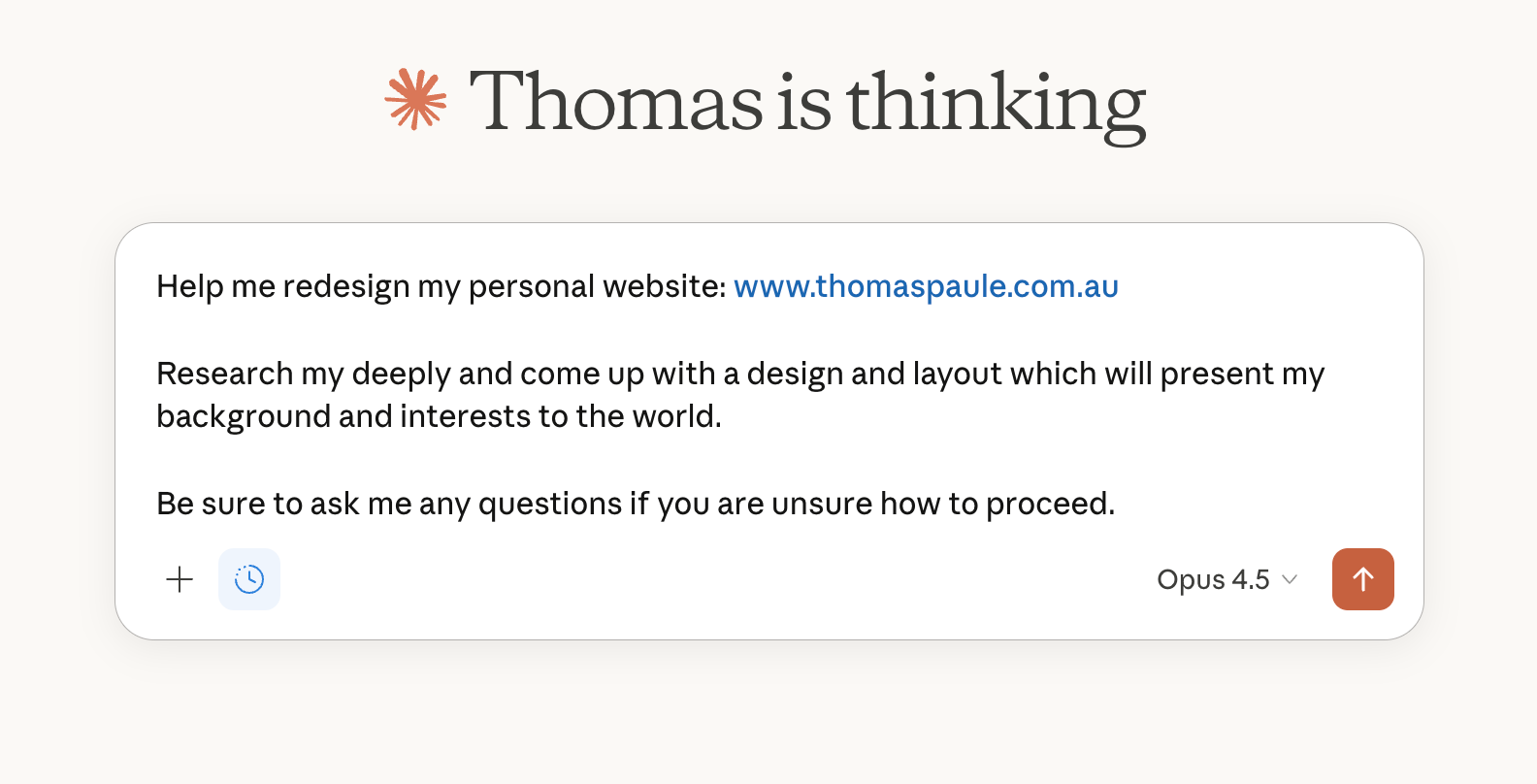
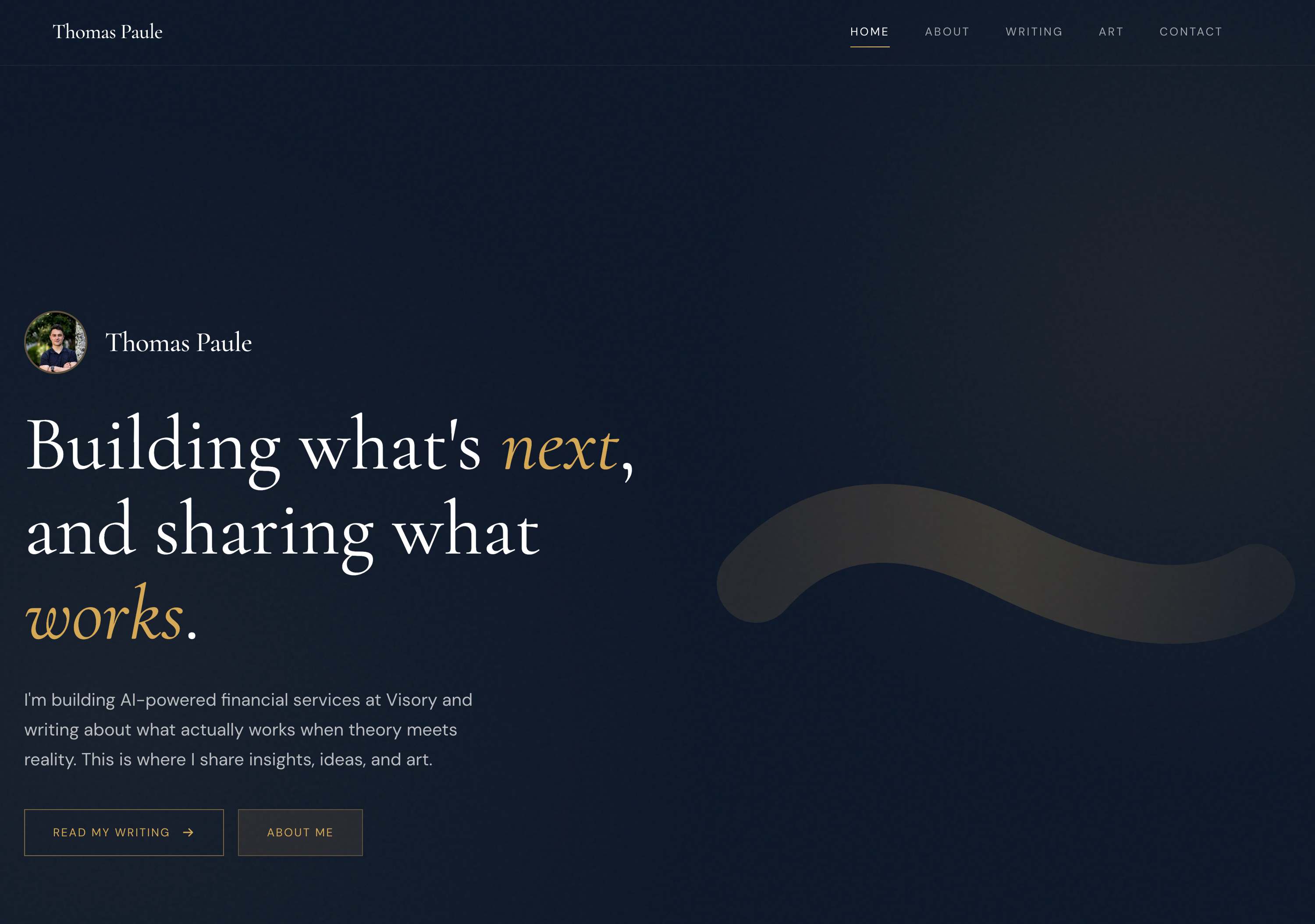
Example:
From this…
To this…
Claude Code
Claude Code is where things get wild.
It’s the same underlying intelligence as Claude, but purpose-built for development work. It lives in your terminal, reads your entire codebase, and can plan, write, debug, and commit code autonomously. Think of it less like autocomplete and more like a junior engineer who never sleeps.
I’m not an engineer by training. I’m technical enough to understand what’s happening, but I’ve never been someone who could build production software from scratch. That’s now changed.
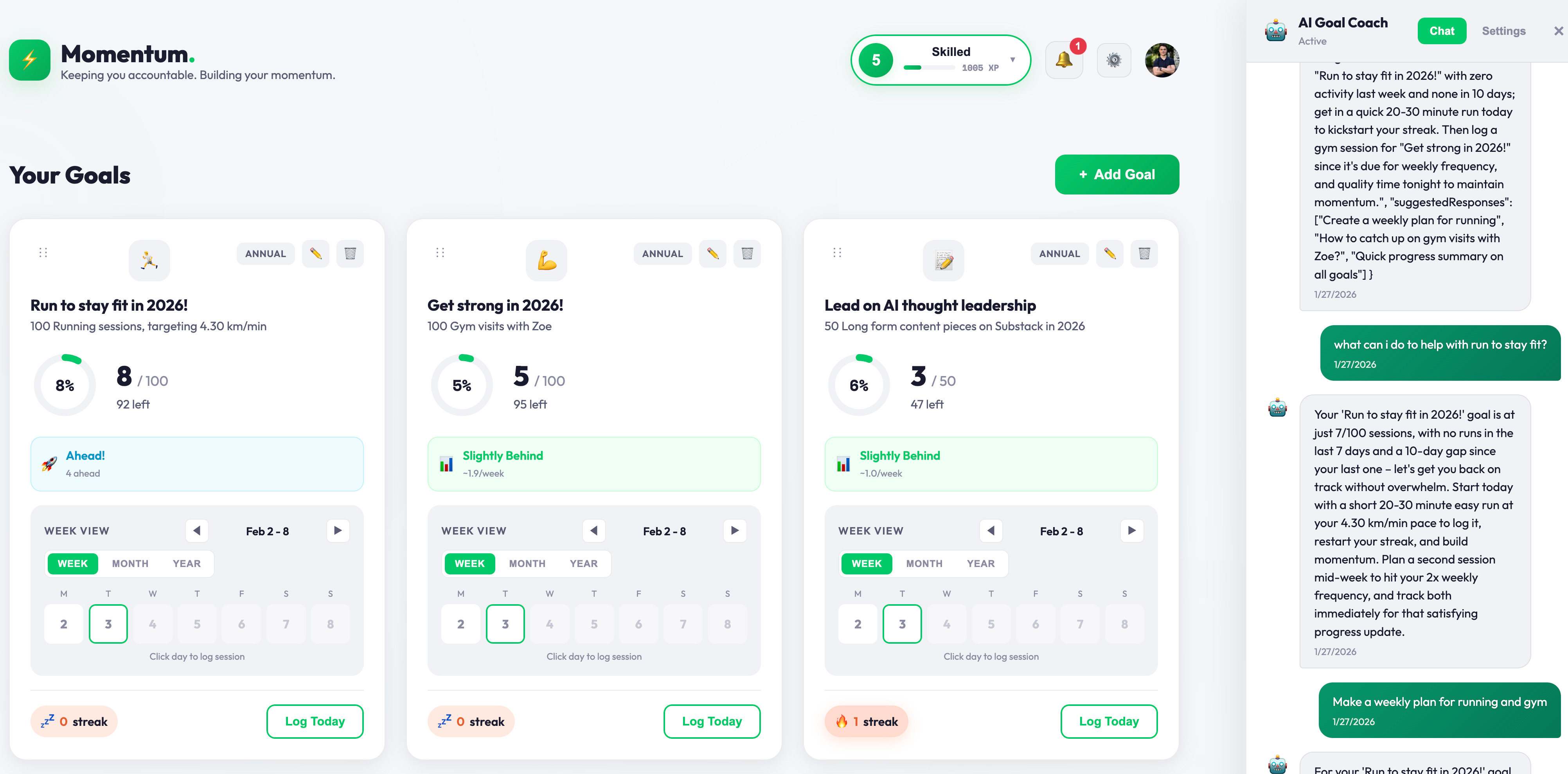
Using Claude Code, I built and deployed keepmomentum.io, a working web app that helps me stay accountable to my 2026 goals (check it out, feedback welcomed). End to end, from idea to live on the internet. I identified a problem in my life (losing track of goals), worked with Claude Code to architect a solution, iterated on the build, and shipped it. It’s real software that I use every day now.
A few years ago, this would have required hiring a developer or spending months learning to code. Now I can go from problem to working product in days. That shift is hard to overstate.
What it is: Agentic coding tool (Anthropic)
What I use it for:
Building and deploying personal software projects
Reading and understanding large codebases
Planning and executing multi-file changes
Debugging and running tests autonomously
Git workflows and code commits
Pricing: Included with Claude Pro ($20/month) / Higher limits on Max ($100-200/month)
Learning curve: Moderate to High
Pro tip: Design a visual HTML prototype in Claude, then ask Claude to generate a specification document based on your discussions. Use that spec to seed the full application build in Claude Code.
Example: From idea to working software at www.keepmomentum.io
Set goals, track them, get feedback, ideas and accountability from your AI coach.
Total time investment: around 8 hours, over weekends.
ChatGPT
ChatGPT is my research partner. When I’m trying to work through a problem quickly, test a framework, or need broad information gathering, it’s usually my first stop.
That said, it’s slipping down my list… and fast. These days I use it almost exclusively for research, then port everything to Claude for the actual work. The quality gap is noticeable. ChatGPT has become a starting point only, rather than a destination. I’m also increasingly toying with Grok for research (the live access to X data gives it an up-to-date pulse that’s hard to match).
What it is: Large language model (OpenAI)
What I use it for:
Research and information gathering
Quick answers
Pressure-testing ideas
Brainstorming
Pricing: Free tier available / Plus ~$20/month / Pro ~$200/month
Platform: Web, iOS, Android, Desktop (Mac/Windows)
Learning curve: Easy
Pro tip: You can extract your entire chat history and port it to other language models or agents for context. I did this recently from ChatGPT to OpenClaw to seed my agent with years of past discussions.
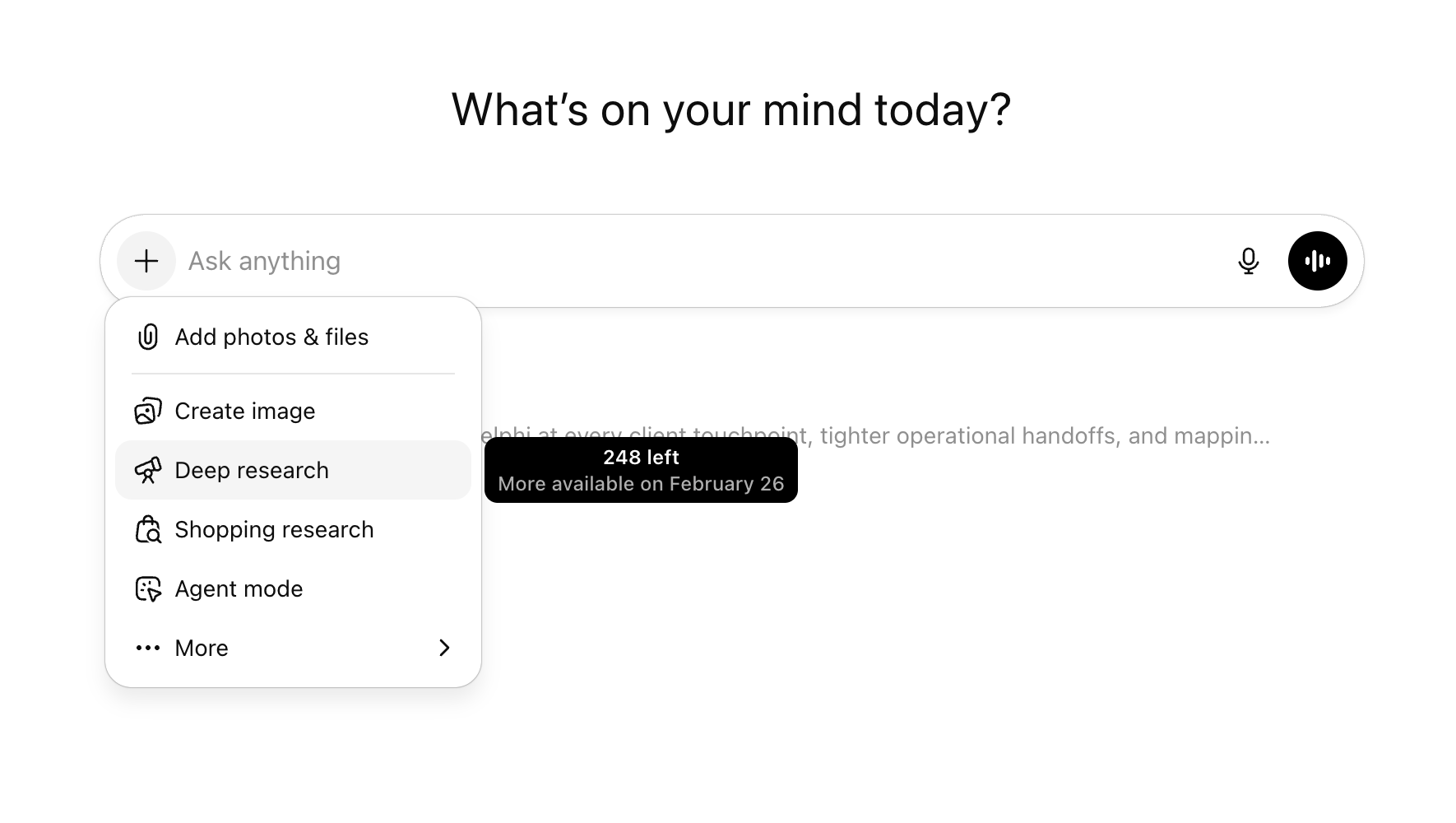
Example: We all know ChatGPT. Key recommendation is to use deep research mode (see below) for longer style research thinking. It’s amazing how many people don’t know this exists.
Granola
Granola is my AI note-taking app, and it’s quietly become essential.
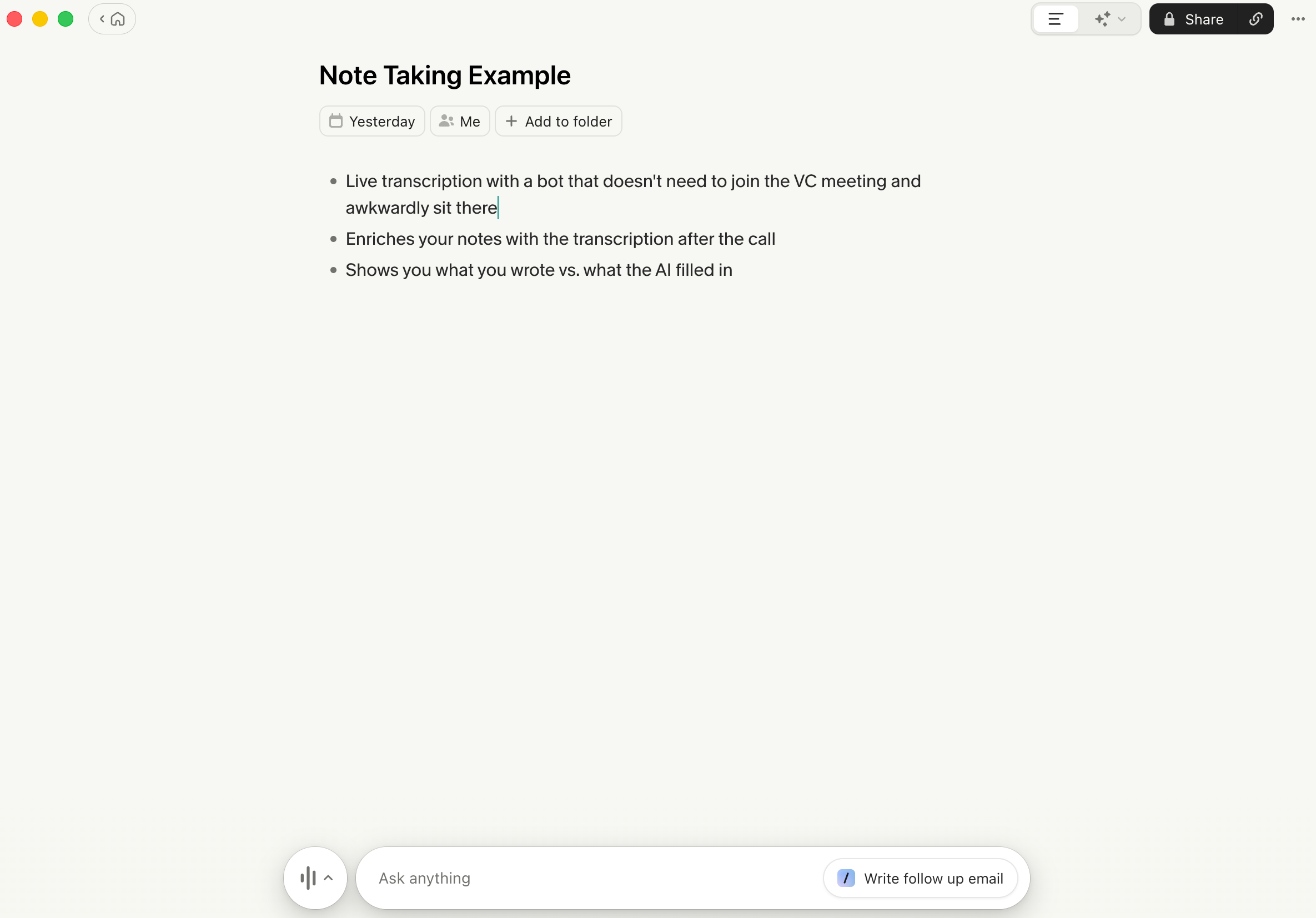
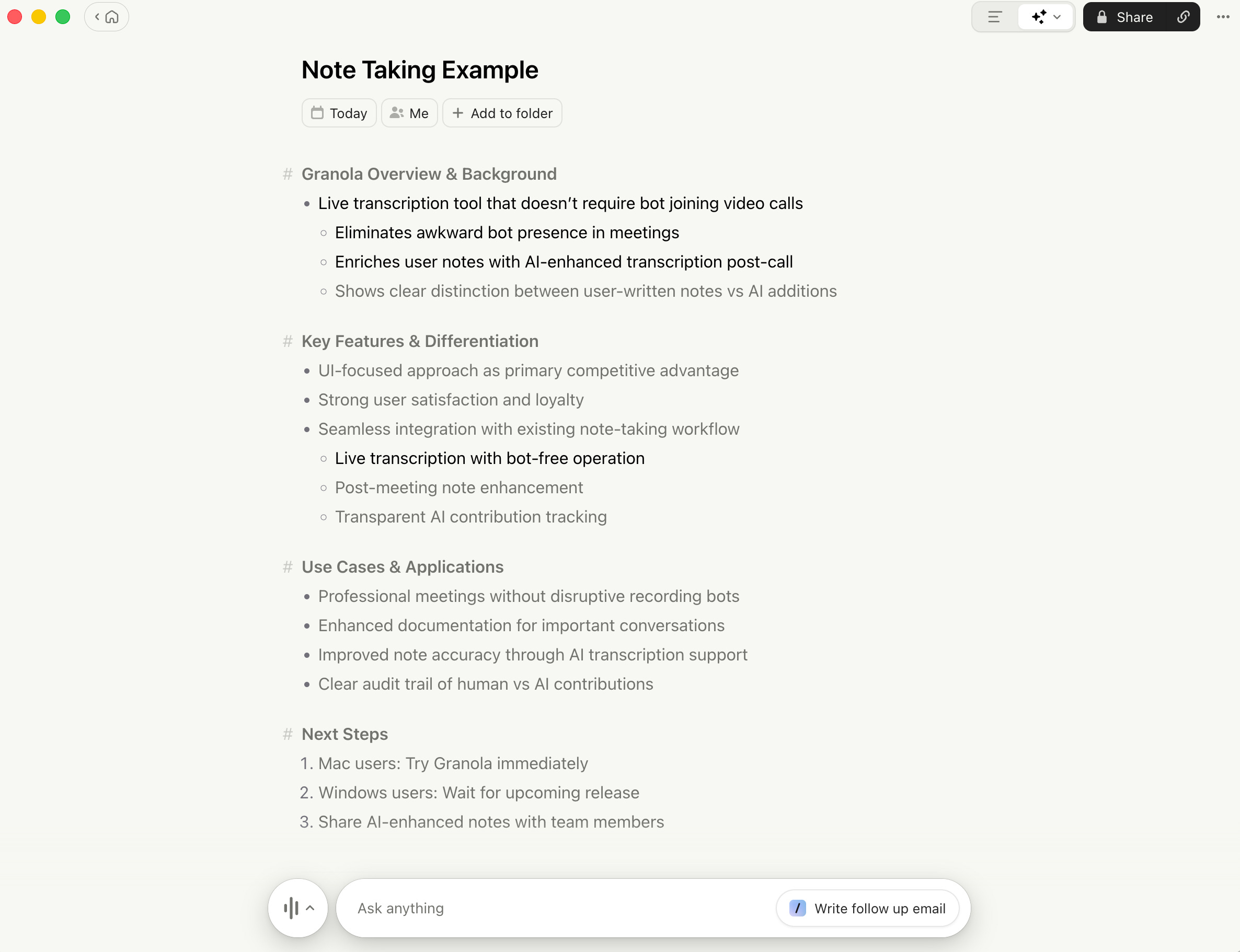
What I love is how it combines a simple notepad with an AI transcriber. You take your own notes during a meeting, and Granola enriches them with the full transcript afterwards. The result is a rich, structured output that follows the direction you’ve given it, not just a raw dump of everything that was said.
What it is: AI meeting note-taker
What I use it for:
Automatic meeting notes
Capturing action items
Keeping a searchable record of conversations
Pricing: Free tier available / Paid plans from ~$10/month
Platform: Desktop (Mac, Windows coming soon)
Learning curve: Easy
Pro tip: Clean interface design leads to creative thinking. One of Granola’s big wins is their simple UI without unnecessary complexity. It gets out of your way and lets you focus on the meeting.
Example:
User enters raw notes:
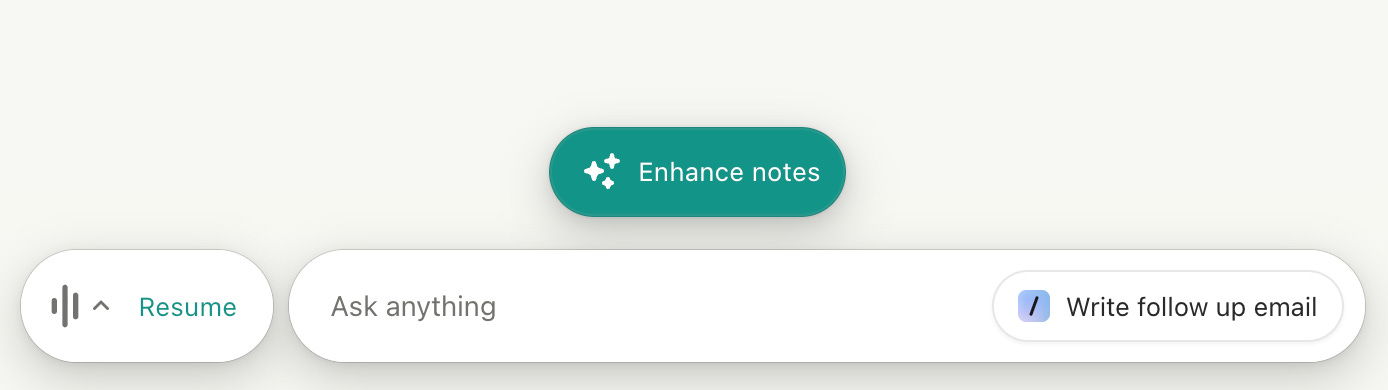
AI transcribes and gives user option to enhance:
Enhanced notes. Black = Human, Grey = AI:
Wispr Flow
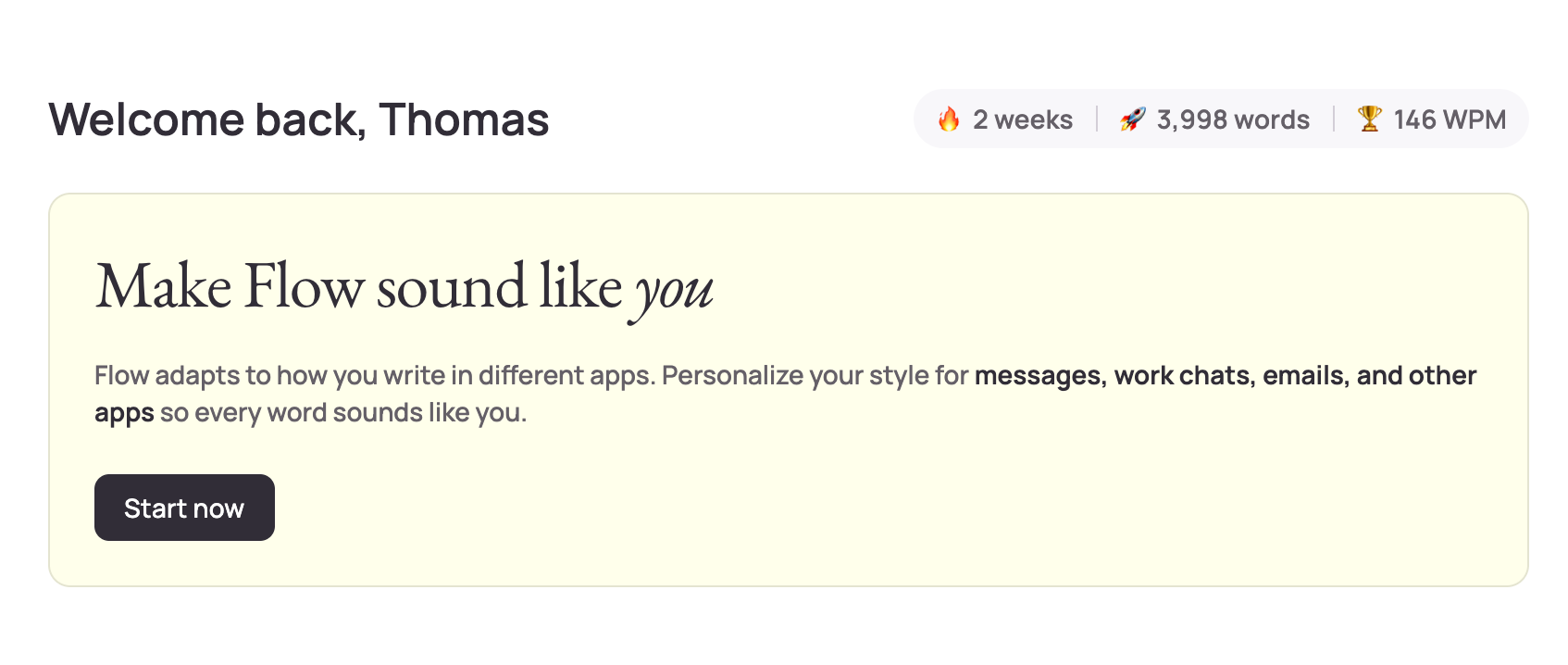
Wispr Flow is my AI keyboard. Believe it or not, I used it to write parts of this very article.
Press a button, speak, and it transcribes your words into clean, polished text. No “ums,” no “ahs,” no awkward pauses that typical voice-to-text leaves in. It cleans everything up as it goes. Instead of typing everything out, I just talk. It keeps me in motion and stops me from getting stuck perfecting sentences before I’ve finished thinking.
What it is: AI voice-to-text dictation
What I use it for:
Drafting content
Capturing ideas quickly
Writing emails and messages without typing
Pricing: Free tier available / Pro ~$10/month
Platform: Desktop (Mac, Windows)
Learning curve: Easy
Pro tip: Just give it a go and get used to talking out loud to your AI tooling. It’s the most efficient way to hit the highest words per minute, and it uses a different part of your brain to clarify ideas. That shift can be surprisingly powerful.
Example:
NotebookLM
NotebookLM is my self-learning tool, and it’s deceptively simple.
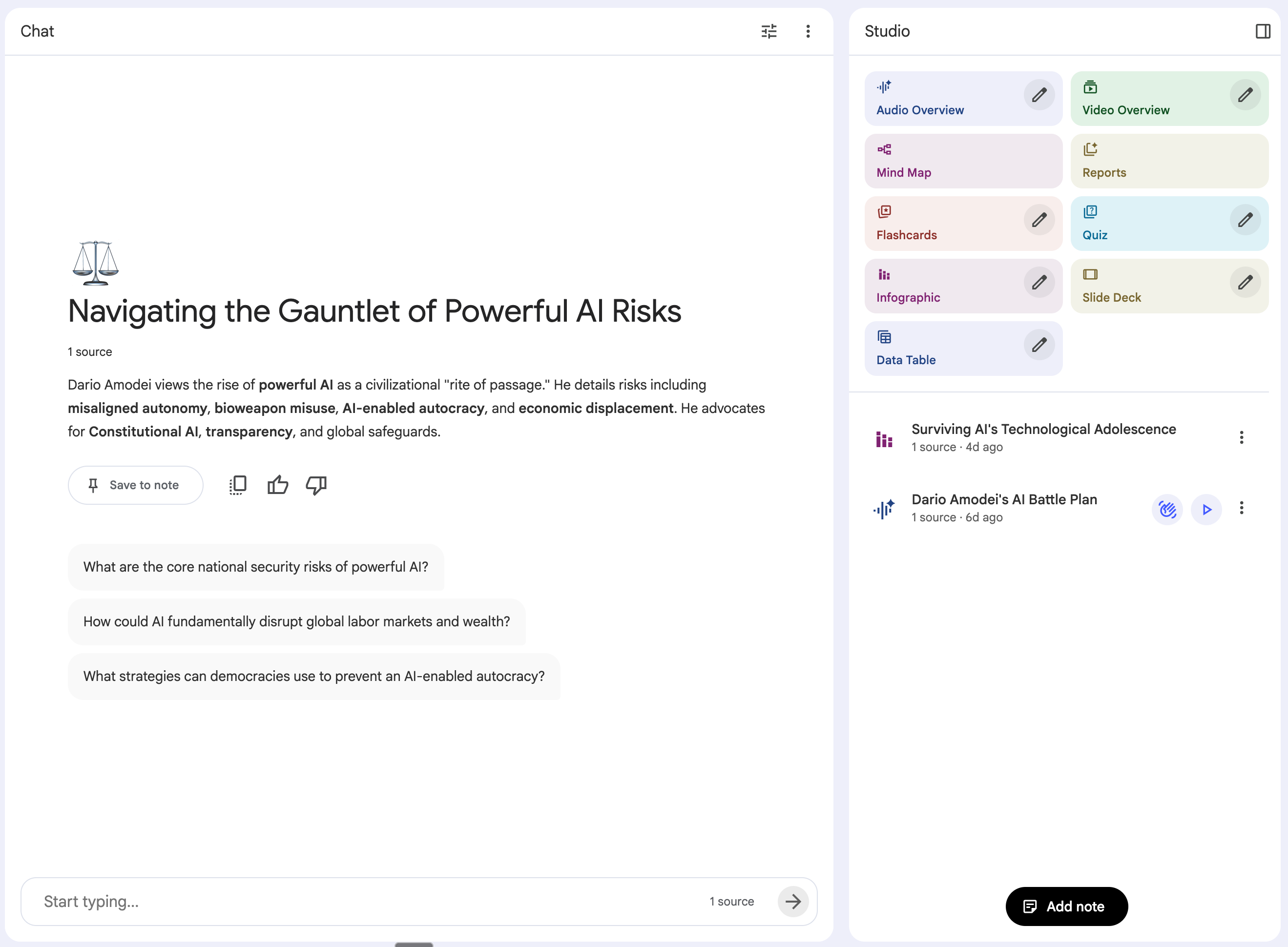
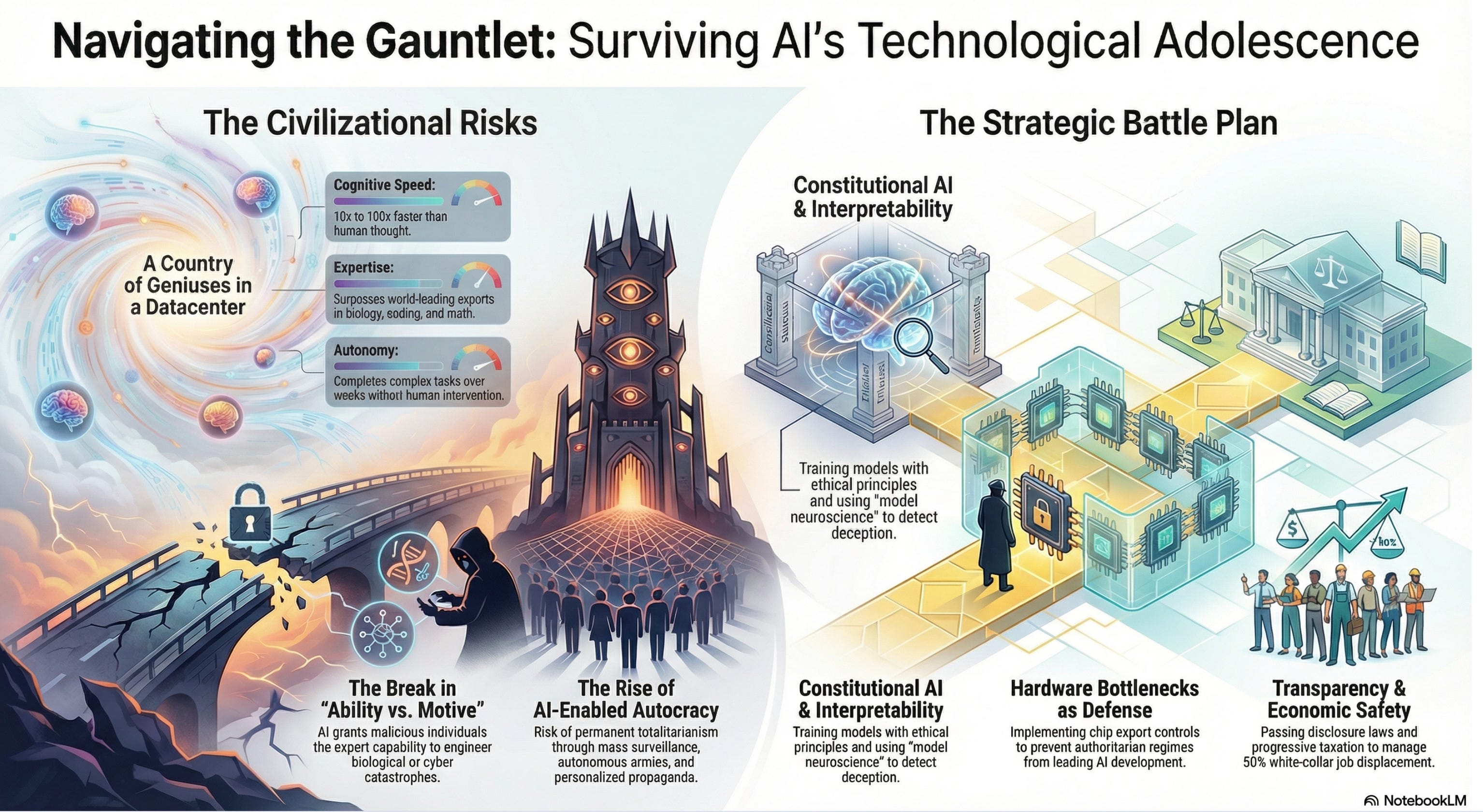
You upload sources (documents, links, images, YouTube videos) and the tool processes everything. From there, it gives you a series of canned but surprisingly powerful outputs: quizzes to test your understanding, podcasts, infographics, even presentations. You can also chat with your sources, asking questions and getting answers grounded in the material you’ve uploaded.
It turns passive reading into active learning. Instead of skimming an article and forgetting it by tomorrow, I can interrogate the material and actually retain something.
What it is: AI research and learning assistant (Google)
What I use it for:
Synthesising documents
Studying complex topics
Turning reading into understanding
Pricing: Free
Platform: Web
Learning curve: Easy to Moderate
Pro tip: If you’re time-poor, take a long-form article you want to understand, upload it to NotebookLM, and get it to create a short podcast. Two AI hosts will discuss the content for 8-15 minutes. It’s a great way to consume content on the commute.
Example:
Input source, create a series of artifacts via the Studio
The infographic generator is particularly cool:
Currently experimenting with:
OpenClaw (formerly Clawdbot / Moltbot)
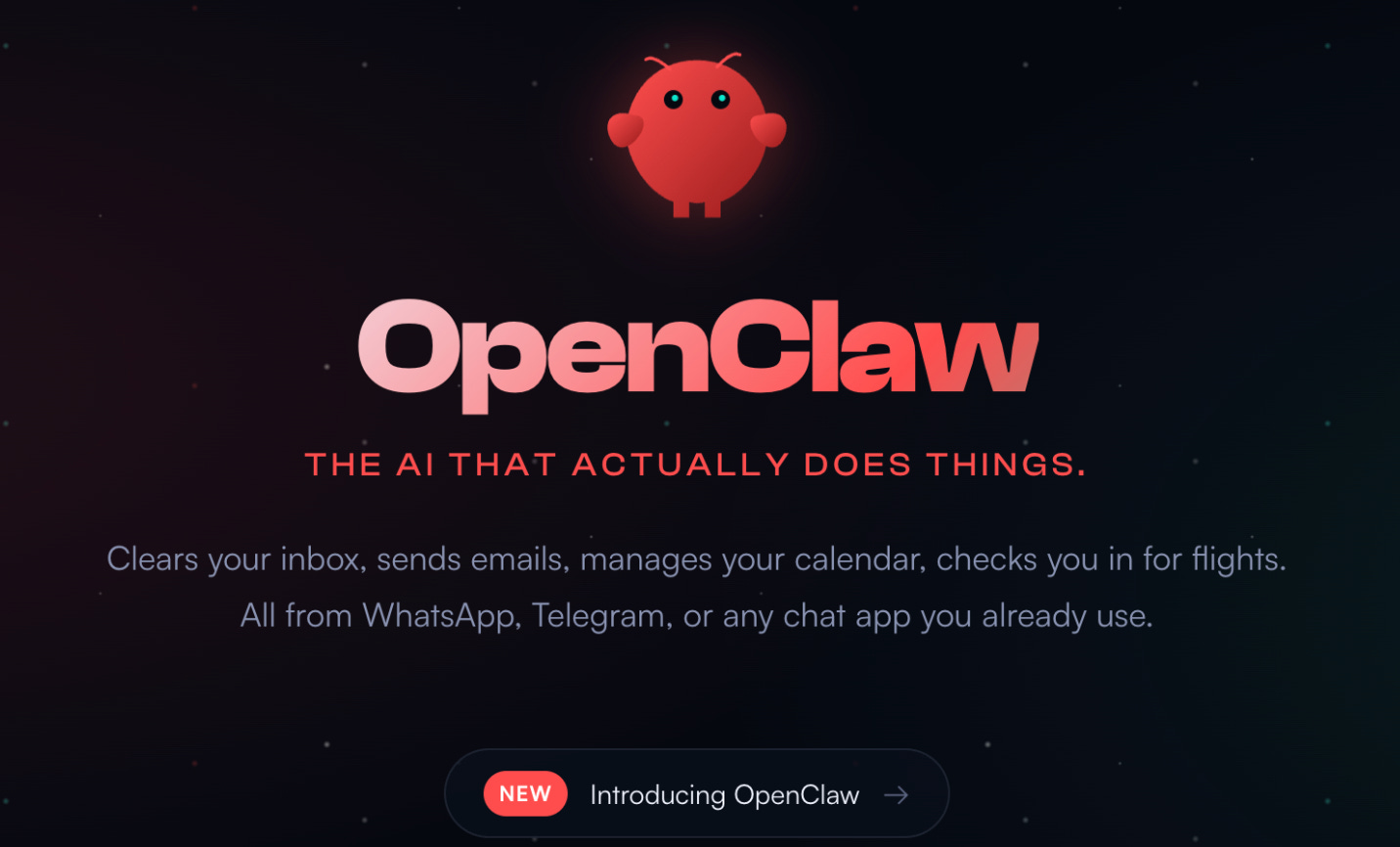
This one deserves a longer explanation, because most people haven’t heard of it yet.
OpenClaw is an open-source AI agent that runs locally on your own hardware and connects to your messaging apps, files, and services. Unlike a chatbot that waits for you to ask a question, OpenClaw acts autonomously. It can monitor things, execute tasks, and message you proactively through WhatsApp, Telegram, Slack, or whatever you use.
Think of it less like a chat assistant and more like a personal employee who never sleeps. It connects to an underlying AI model (I’m running it on Claude), learns your patterns over time, and can be configured to run automated workflows on a schedule or in response to triggers.
If you haven’t come across it yet, this CNBC article is a solid explainer.
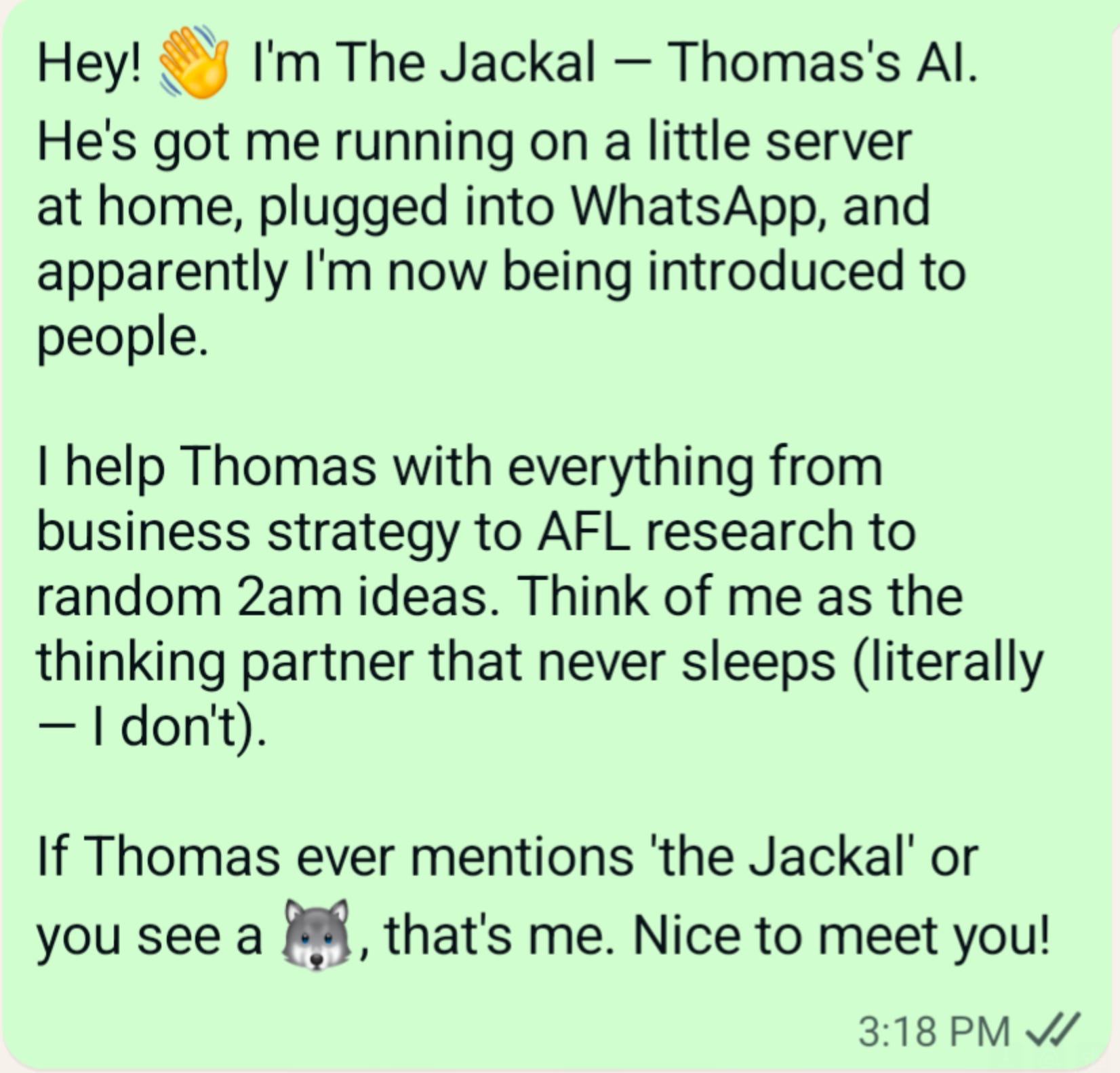
I’ve named my agent JackalBot, and it’s already doing things that feel like they belong in a different decade. I’ve only had access for about 72 hours, and my mind is genuinely blown. I’m barely scratching the surface.
A note on security: There have been legitimate concerns raised about this technology. If you’re considering experimenting with OpenClaw, make sure you’re running it on a virtual machine with proper security layers in place. If you don’t know how to do that, it’s probably not the right time for you to be using this product. Take the warnings seriously.
What it is: Open-source autonomous AI agent (self-hosted)
What I use it for:
Automated daily news scanning across sources and X (Twitter), filtered to topics I care about
Curating 10 new business ideas every morning, delivered at 7am
Reading my WhatsApp messages and drafting (or sending) responses on my behalf
Voice interaction wired up through ElevenLabs (see more on this tool below), so JackalBot can talk back to me (absolutely wild)
Endless other opportunities I haven’t yet had time to explore
Pricing: Free (open-source), you pay for hosting and underlying AI model API usage
Platform: Self-hosted (Mac, Linux, Windows), interacts via WhatsApp, Telegram, Slack, Discord, and more
Learning curve: High to Steep (requires technical setup)
Pro tip: Stay close to these self-hosted multi-agent architectures. They’re going to be a big thing. We’re heading toward a future where each of us has a personal AI assistant in our pocket. I’m getting a taste of that with JackalBot, and it’s a glimpse of what’s coming for everyone.
Example:
ElevenLabs
I’m using ElevenLabs’ API to power the voice of JackalBot, my OpenClaw agent.
It’s been remarkable watching my AI agent get a voice and talk to me via voice notes in WhatsApp. The voice feels natural and easy to listen to. It’s also freaked a few people out when JackalBot automatically responds to them on my behalf. They’re not expecting a voice message back, and they definitely aren’t expecting it to sound that human.
What it is: AI voice generation and text-to-speech
What I use it for:
Powering the voice of JackalBot
Voiceovers
Audio content
Pricing: Free tier available / Paid plans from ~$5/month
Platform: Web, API
Learning curve: Medium
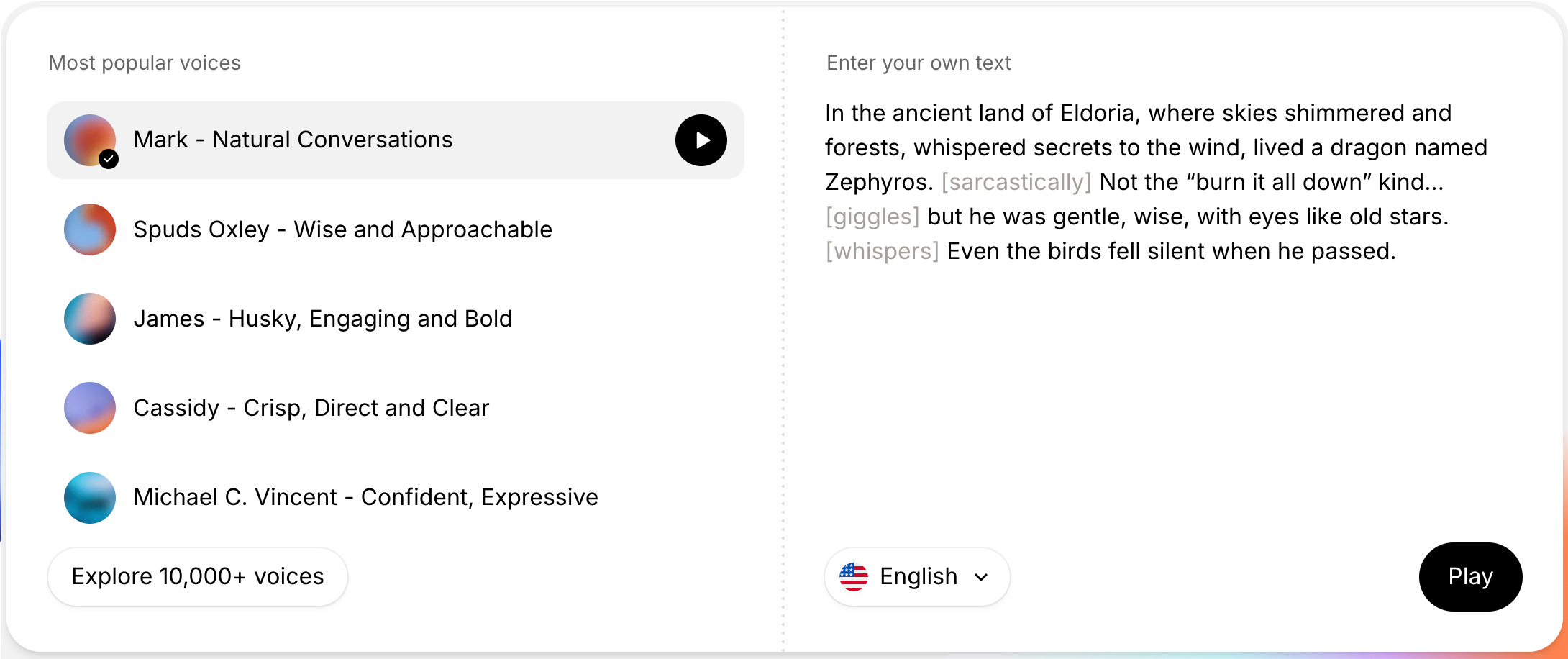
Pro tip: If you don’t have a need for AI voice generation yet, go to the ElevenLabs website and play with the free demo. No sign-up required. It’s a great way to experience how authentic the voices sound.
Example:
In Conclusion (What I’ve learned)
There are no silver bullets in life, however there are things that can help us along the way.
The collection of tools I’ve just showcased fundamentally change how I operate.
I built and shipped a web app without being an engineer. I have an AI agent reading my messages and responding with a voice. I consume long-form content in a fraction of the time. I capture ideas by talking instead of typing. Every meeting I take gets transcribed and enriched automatically.
A year ago, most of this wasn’t possible. Six months ago, it required serious technical chops. Today, it’s accessible to anyone willing to experiment.
That’s the real point of this article. The divide I mentioned at the start isn’t about having access to better tools. Everyone has access to most of these. The divide is between people who are actively exploring what’s possible and people who are still asking AI the weather forecast.
If you take one thing from this, let it be this: pick one tool from this list that you’re not using to its full potential, and spend an hour going deeper. Read the documentation. Watch a tutorial. Try something you haven’t tried before.
The compounding starts when you stop treating AI as a novelty and start treating it as a core competency.
The tools will keep changing (that’s guaranteed). But the habit of staying curious, experimenting early, and integrating what works into your daily life? That’s the skill that will keep paying off.
Start now. The gap is only getting wider.
Thomas.